GLP-1 tracking
GLP-1 tracker for your prescribed routine
DoseTide helps you record a GLP-1 routine you already follow: what is scheduled, when you last recorded it, what supplies remain and the progress you choose to log. You enter the instructions; DoseTide organizes the record.
iPhone: coming to the App Store
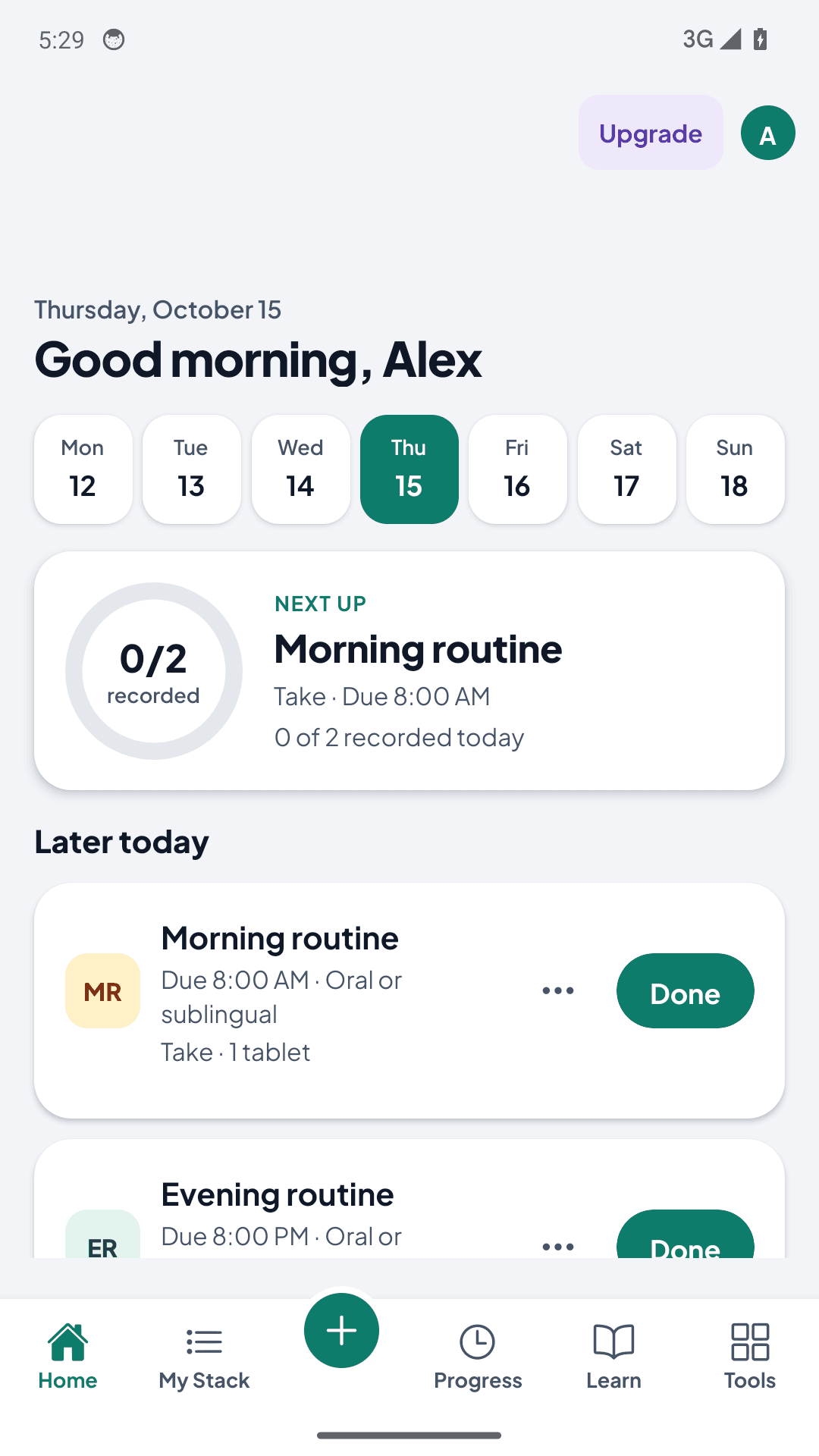
Last recorded, at a glance.
Home shows what’s next up and what you’ve recorded today. History keeps the date and time of every entry.
A GLP-1 routine in DoseTide
- Enter the schedule from your prescription or product label.
- Get a reminder when an item is due.
- Tap Done, or record the actual time if it was different.
- Check the supply remaining before your next refill.
- Log the observations you choose to follow, such as weight.
Answer “When did I last take it?”
Open your history to review the date and time of your last recorded entry. Record what actually happened, and correct an entry if you logged it incorrectly. A reminder is a prompt; it is not proof that an action happened.
Keep the schedule you were given
Create a protocol using the product, amount, unit and timing from your existing instructions. Preview the upcoming calendar before activating reminders. If your clinician changes the plan, update the future schedule and keep your earlier history.
Track the container and the supplies separately
Record the inventory you own and the units you actually track. Keep product strength separate from the quantity remaining. Pro forecasting estimates supply runway from your entered schedule and consumption; it cannot verify the contents of a container.
Put progress alongside your routine
Record measurements and symptoms you choose to track, then review them alongside your history. These are personal observations, not evidence that a therapy caused a change. Export selected records when you want to discuss them with your care team.
What DoseTide won’t do
- Suggest or create a dose escalation schedule
- Predict weight loss or other results
- Recommend a product, dose or treatment change
Decisions about products, doses, timing and changes belong with your clinician or pharmacist.
Start with a clear routine
Gather your existing instructions, enter one item at a time, review the calendar and test reminders before relying on them. Phone settings and the operating system can affect reminders.
Common questions
- What can I track with DoseTide?
- Keep separate schedules, record completed actions, review your history and track your own inventory. Export is available on every plan. Enter the instructions you already have; DoseTide does not create a treatment plan.
- Can DoseTide choose a GLP-1 dose or schedule?
- No. DoseTide records the instructions you enter. It does not select a therapy, recommend a dose or tell you how to change treatment.
- What if I missed an entry or cannot remember taking it?
- Check your recorded history. An absent entry does not prove an action was missed. Use your product-specific instructions or contact your clinician or pharmacist for treatment decisions.
- Does the calculator recommend what to take?
- No. It performs educational unit and concentration calculations from your inputs. A result does not verify a prescription, product, dose or technique.
Make your records useful from day one
Check reminder setup, learn how to export your history, and compare what each plan includes.
Try DoseTide Pro
14 days free.
More ways to track.
Try eligible Individual Pro or Household Pro plans, billed monthly or annually. Compare both in the app before choosing.
For eligible new subscribers where the store offers a 14-day trial. After the trial, your subscription automatically renews at the selected plan price unless canceled before the trial ends. The store shows your eligibility, price, billing period and cancellation terms before confirmation. Downloading the app does not start a subscription.
Get Android app to start your trialCompare Free and Pro · Core tracking remains free.
Other routines
Different routines. The same need for a clear record.